

Gemini AI is now available on Google Forms to generate comprehensive forms, surveys, and quizzes through simple natural language prompts. This feature significantly reduces the time spent on manual setup, allowing you to focus on data analysis and engagement.
Practical Steps to Use Gemini in Google Forms:
- Access the Feature: Log in to your institutional Google account and open a new or existing form at forms.google.com. Look for the “Help me create a form” icon (the magic wand/Gemini logo) located at the top of the interface.
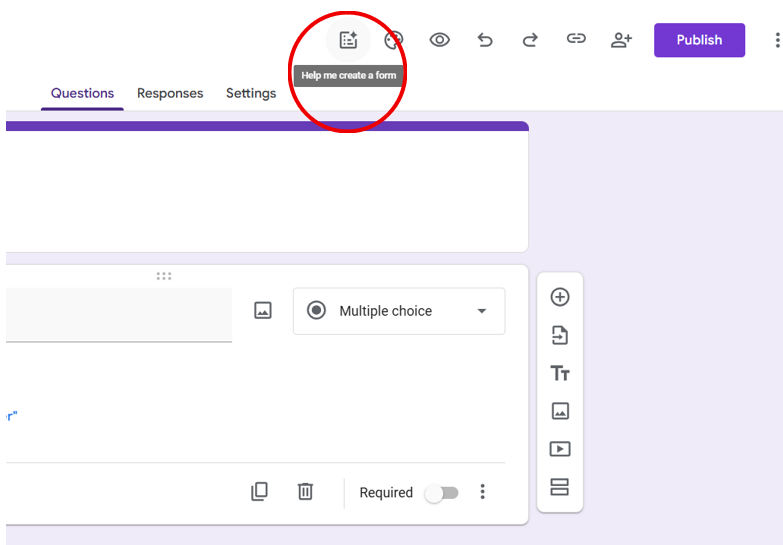
Picture 1 Gemini AI Icon Location
- Input Your Prompt: In the provided text box, enter a clear and specific description of the form you require. For example, you might type: “I want to create a form for library registration.”
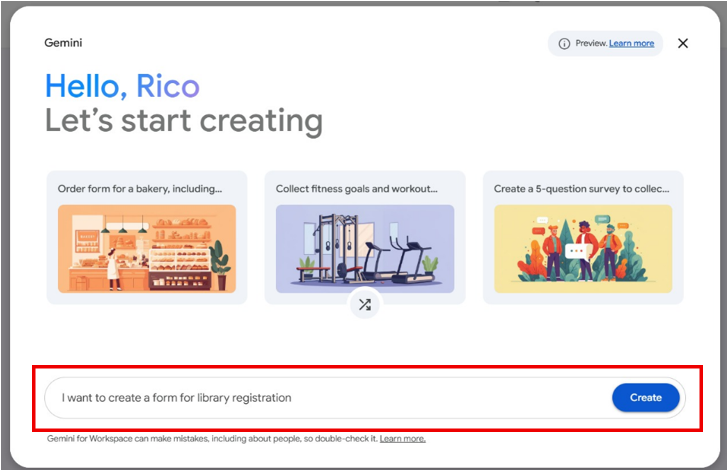
Picture 2 Type What Form You Require
- Generate and Refine: Click “Create” to allow Gemini to build the structure. Once the draft appears, you can review the questions and options. You may use the prompt box again to refine the content, such as by asking to “Add a section for student ID numbers” or “Make the questions more challenging.”
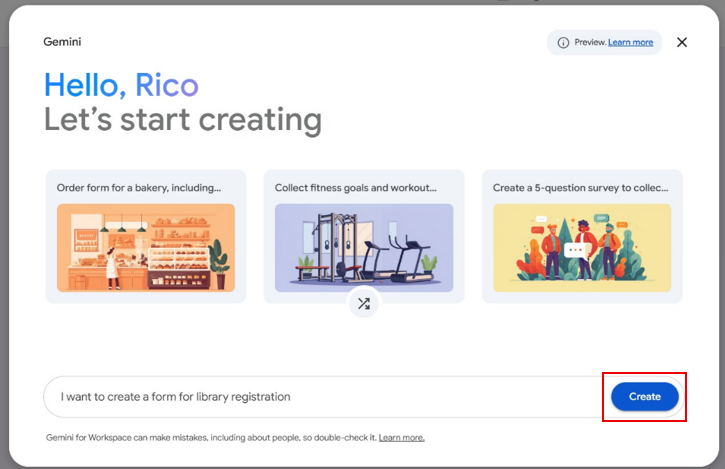
Picture 3 Let Gemini AI Create Your Form
- Finalize and Distribute: After the AI-generated structure is complete, you can manually edit any field, apply institutional branding, and share the form as usual.
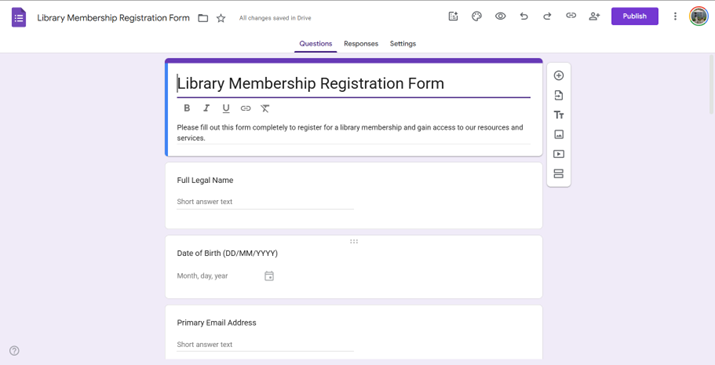
Picture 4 Your Form is Ready
Leave a Reply